Run 2 Unblocked — Play Free Online
More Runners & Driving games


Run 2 unblocked: play Run 2 online free right here in your browser — no download, no sign-up, works on a school Chromebook.
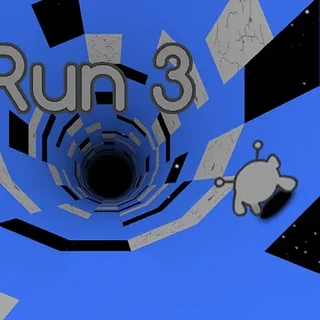
Run 2 is a classic three-dimensional platform runner set inside an endless network of floating space tunnels. You guide an agile alien creature through precarious courses filled with gaping holes, crumbling platforms, and sharp directional turns. What makes the journey distinctive is dynamic gravity manipulation: steering into any tunnel wall immediately flips the entire stage ninety degrees, turning that vertical wall into your new floor.
Every level functions as a high-speed spatial puzzle. Because the tunnel has four distinct running surfaces, there is rarely only one valid route to the exit. You can dash along the bottom pathway, hop onto a side wall to bypass a broken section, or leap across open gaps to land safely on an overhead ceiling. The action is fast and unforgiving, but instant restarts keep the momentum going without frustrating downtime.
Choosing your character
The game features two playable characters, each offering a noticeably different movement style:
- The Runner: Balanced and precise. The Runner accelerates steadily and possesses sharp braking controls, making this character ideal for navigating narrow ledges and technical courses.
- The Skater: Fast and floaty. Riding on hover-skates, the Skater moves at higher base speeds and covers immense horizontal distances with every leap, perfect for clearing wide chasms once you learn to manage the slippery momentum.
Controls and movement
Controlling your character requires only a standard keyboard:
- Left and Right Arrow Keys (or A / D): Steer left or right across the current lane. Moving firmly into a side wall rotates the tunnel and reorients gravity.
- Up Arrow Key or Spacebar: Jump over chasms and hazardous gaps. Holding the button yields maximum jump height.
- R Key or Spacebar: Instantly restart the current level after falling into the void.
Tips for difficult stages
Conquering the later stages requires sharp spatial awareness and disciplined timing:
- Look two steps ahead: Do not just focus on your immediate footing. Track upcoming gaps so you can rotate onto an intact wall well before running out of floor.
- Do not fear the edges: Intentionally hopping toward a side wall is often much safer than trying to thread through tiny center platforms.
- Switch characters when stuck: If a stage feels impossible with the Runner due to long gaps, swap to the Skater. If the Skater slides off narrow walkways too easily, switch back to the Runner.
More games to explore
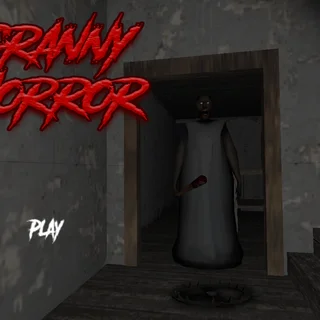
When you want a break from high-speed tunnel navigation, check out other popular titles across the catalogue. If you enjoy reflex-driven challenges and matching musical beats, try Friday Night Funkin'. For tense atmosphere and stealth gameplay, dive into Granny Horror or Five Nights at Freddy's.
Questions about Run 2
Is Run 2 unblocked at school?
Run 2 runs in an ordinary browser tab from grannyunblocked.com, with nothing to download or install, so it plays on most school Chromebooks and work computers. If a network filter blocks the site, only that network's administrator can change it.
What is the difference between the Runner and the Skater in Run 2?
The Runner offers precise turning and steady jumps for technical stages, while the Skater moves much faster and leaps farther across wide gaps.
How do you rotate gravity in Run 2?
Steer into either side wall using the left or right arrow keys (or A and D). The tunnel will automatically rotate ninety degrees and make that wall your new floor.
Can you play Run 2 on a Chromebook or laptop?
Yes, Run 2 runs smoothly in modern web browsers on Chromebooks, Windows, and Mac computers without requiring extra plugins or software downloads.
Does Run 2 save your level progress?
Your completed levels and unlocked stages are saved locally in your browser storage so you can pick up where you left off in future sessions.