Run 3 Unblocked — Play Free Online
More Runners & Driving games





Run 3 unblocked: play Run 3 online free right here in your browser — no download, no sign-up, works on a school Chromebook.
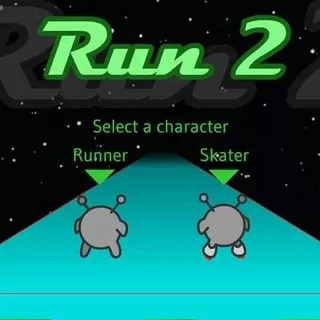
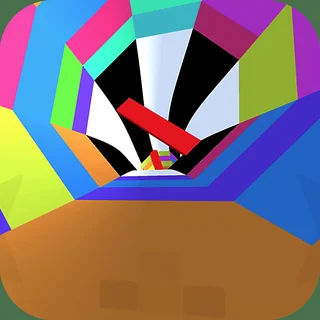
Run 3 is a classic three-dimensional runner set inside winding space tunnels floating through the void. You control a nimble alien navigating endless corridors filled with missing tiles, crumbling floors, and sudden drops. What makes the game captivating is its dynamic gravity: running into a side wall immediately rotates the entire corridor, turning that wall into the new floor. This lets you plot alternative paths, dodge hazardous pits, and stay alive as the speed steadily rises.
While many titles on this site focus on eerie exploration and suspenseful evasion like Granny Horror or Five Nights at Freddy's, Run 3 delivers pure kinetic momentum. It offers a fast-paced break where quick reflexes and spatial awareness take center stage, making it an ideal palette cleanser between horror marathons.
How to play
Movement is straightforward and responsive:
- Steer: Use the Left and Right Arrow keys or A and D to move sideways. Moving along the curved edges flips the tunnel orientation.
- Jump: Press Up Arrow or Spacebar to leap over gaps. Tap briefly for short hops across broken tiles, or hold the key down longer to clear wide chasms.
- Pause and restart: Press P or Esc to pause your run. If you plummet into the void, the stage restarts instantly so you can try a new angle.
On touchscreen devices, use intuitive on-screen buttons or directional swipes to turn and leap.
Tips for exploring the tunnels
- Rotate proactively: When a floor looks riddled with holes, steer onto an adjacent wall early. Looking two steps ahead prevents panic jumps.
- Watch tile colors: Grey tiles crack and crumble shortly after you step on them. Never hesitate on these fragile surfaces; keep moving or leap to solid footing immediately.
- Master variable jump heights: A light tap keeps your trajectory low and predictable, while a sustained press gives maximum airtime across major gaps.
- Stick to the center: Hugging tunnel edges without intending to rotate can cause accidental perspective shifts. Keep your runner centered until you deliberately choose to flip walls.
Similar games on this site
If you enjoy fast-paced reflex challenges after surviving tension-filled rounds of Granny Horror or Five Nights at Freddy's 2, several other titles offer quick, engaging mechanics. Friday Night Funkin' tests your rhythmic timing and key coordination, while Horror Dungeon 3D pairs spatial navigation with atmospheric tension. For players who prefer deliberate pacing over pure speed, the Forgotten Hill series delivers puzzle-heavy room escapes.
Browser play and compatibility
Run 3 runs directly in any modern desktop or mobile browser with no plugins or installations required. Progress and level milestones save locally in your browser cache, letting you jump back into your journey through deep space whenever you return.
Questions about Run 3
Is Run 3 unblocked at school?
Run 3 runs in an ordinary browser tab from grannyunblocked.com, with nothing to download or install, so it plays on most school Chromebooks and work computers. If a network filter blocks the site, only that network's administrator can change it.
How do you rotate tunnels in Run 3?
Run directly onto the left or right wall using the arrow keys or A and D. Gravity automatically shifts so the wall becomes your new floor.
What do the crumbling grey tiles do?
Grey tiles are fragile and disintegrate shortly after being stepped on. You must sprint across them quickly or jump to solid ground before they fall.
Does Run 3 save my level progress?
Yes, your stage progress and unlocked content are saved automatically in your browser local storage as long as your browsing data is retained.
Can I play Run 3 on a Chromebook or phone?
Yes. The HTML5 game runs smoothly in modern desktop and mobile browsers, supporting both keyboard inputs and touchscreen taps.